Psp Tutorial, Inside
INSIDE
English Psp Tutorial
This tutorial was created with Corel X7.
However, it can also be done with other versions.
Thank you very much for the beautiful Translations.
You can access the translations by clicking on the flags.

However, it can also be done with other versions.
Thank you very much for the beautiful Translations.
You can access the translations by clicking on the flags.

Your Versions HERE ![]()
Plugins
Mehdi – Vawy Lab 1.1
Mehdi – Shorting Tiles
Carolaine Sensibility – CS-LDots
Carolaine Sensibility – CS-DLines
Carolaine Sensibility – csTekstures
Toadies – What are you?
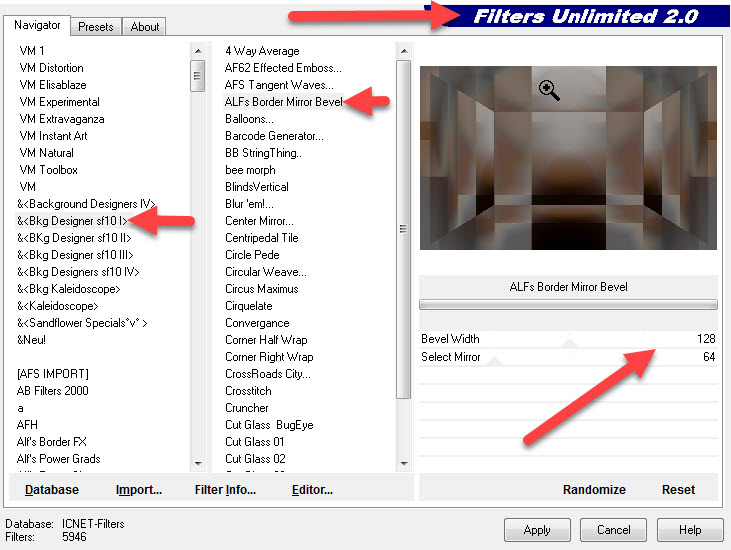
I.C.NET Software – Filter Unlimited 2.0
Bkg Designer Sf 10I – ALFs Border Mirror Bevel
Materials
Materials
deco.png
deco1.png
inside-mask
inside1.PspSelection
inside2.PspSelection
inside3.PspSelection
beautiful_woman_26_tubed_by_thafs.pspimage
KamilTubes-486.pspimage
KamilTubes-486.png
Be Beatiful.png
insidefinal.jpg
deco1.png
inside-mask
inside1.PspSelection
inside2.PspSelection
inside3.PspSelection
beautiful_woman_26_tubed_by_thafs.pspimage
KamilTubes-486.pspimage
KamilTubes-486.png
Be Beatiful.png
insidefinal.jpg
Preparations
Make your foreground color : #aaaaaa
Make the background color : #4a2910
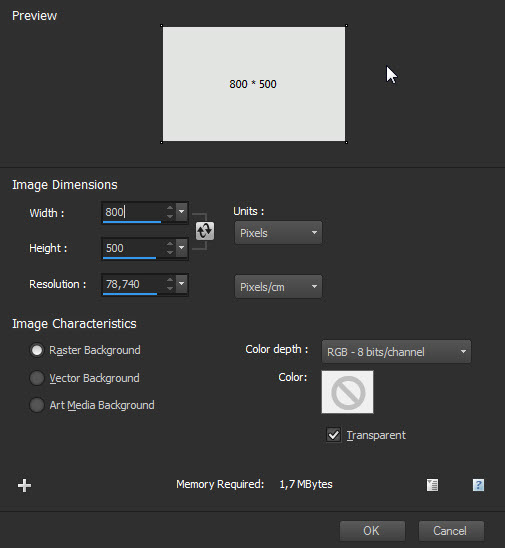
1- File Open – New 800 x 500
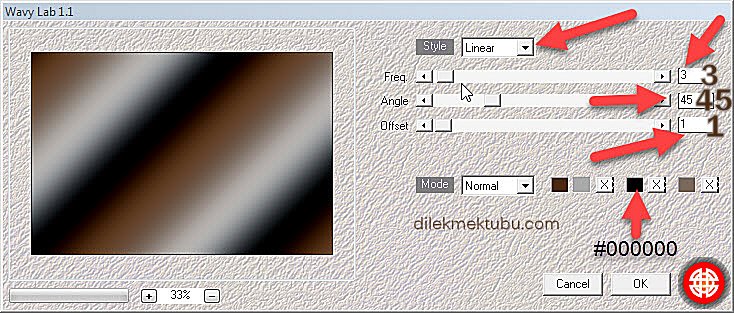
2 – Effects – Mehdi – Wavy Lab 1.1

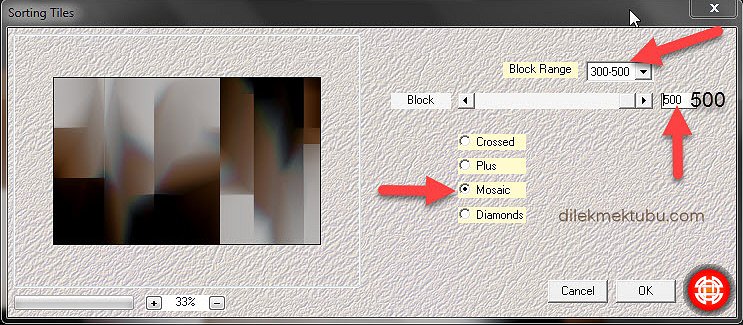
3 – Effects – Mehdi – Sorting Tiles
4 – Effects – Mehdi – Sorting Tiles
6 – İmage – Mirror
7 – Layer Opacity – 50
8 – Merge – Merge Down
10 – Selections – Load /Save Selection – Load Selection From Disk – inside1

11 – Promete Selection to Layer

11 – Promete Selection to Layer
21 – Adjust – Sharpness – Sharpen
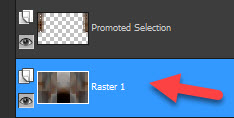
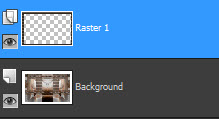
22 – Activate Raster1 Layer

23 – Selections – Load /Save Selection – Load Selection From Disk – inside2

24 – Promete Selection to Layer
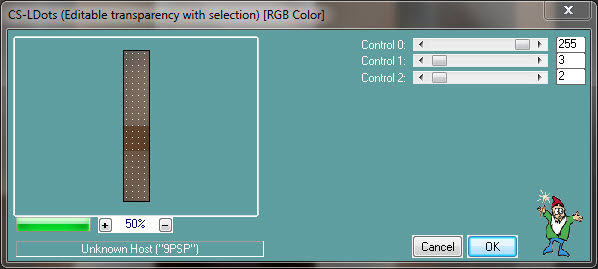
25 – Effects – Carolaine Sensibility – CS-DLines – Default
27 – Adjust – Sharpness – Sharpen
28 – Effects – Toadies – What Are You?
29 – Adjust – Sharpness – Sharpen
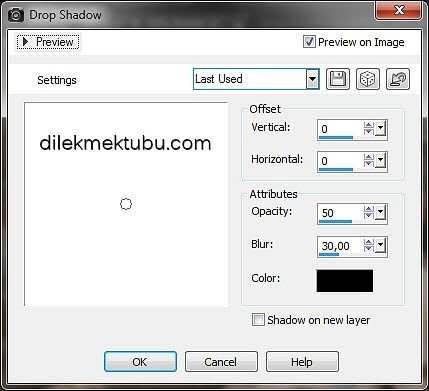
30 – Effects – 3D Effect – Drop Shadow

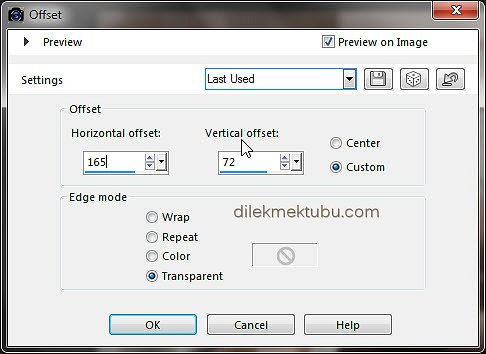
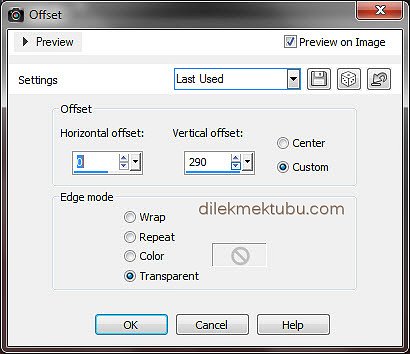
31 – Effects – İmage Effects – Offset

31 – Effects – İmage Effects – Offset
32 – Layers – Duplicate
33 – Effects – İmage Effects – Offset
34 – Merge – Merge Down
35 – Activate Raster1 Layer
37 – Promete Selection to Layer
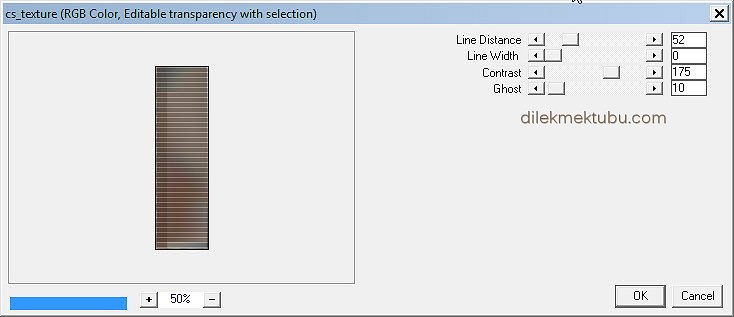
38 – Effects – Carolaine Sensibility – cs-Texture – Default
39 – Selection – Select None
40 – Layers – Duplicate
41 – Image – Mirror
42 – Merge – Merge Down
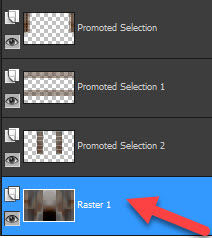
43 – Activate Raster1 Layer
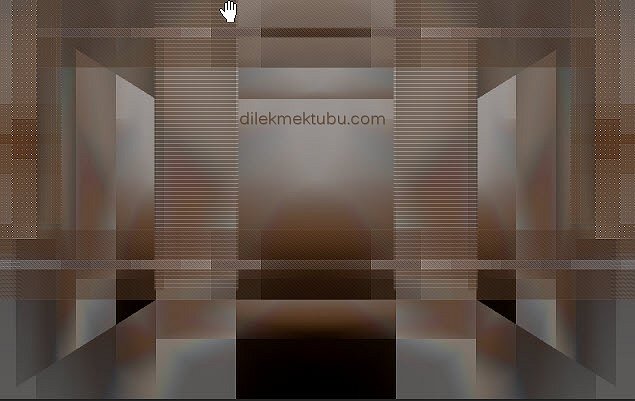
44 – Effects – I.C.NET Software – Filter Unlimited 2.0
Bkg Designer Sf 10I – ALFs Border Mirror Bevel – Default
46 – Layers – New Raster Layer
47 – Fill with Color #ffffff
48 – Layers – New Mask Layer – From image – inside-mask
49 – Layers – Duplicate
50 – İmage – Mirror
51 – Merge – Merge Down
52 – Image – Flip
53 – Merge – Merge Grup
54 – Adjust – Sharpness – Sharpen
55- Layers – Blend Mode – Overlay
56 – Activate Top Layer
57 – File Open Tube deco.png
58 – Edit – Copy
Go back to your work.
Edit Paste As New Layer
Go back to your work.
Edit Paste As New Layer
59 – Layers – Blend Mode – Soft Light
60 – File Open deco1
61 – Edit Copy – Edit Paste As New Layer
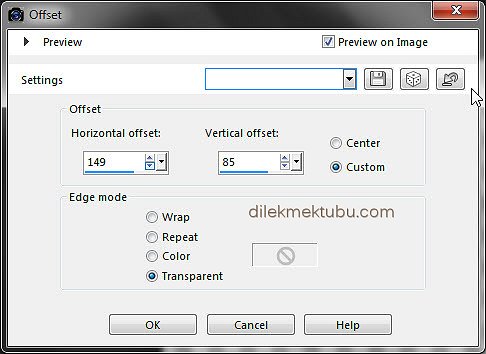
62 – Effects – İmage Effects – Offset
63 – Layers – Blend Mode – Soft Light
64 – File Open – beautiful_woman_26_tubed_by_thafs.pspimage
65 – Edit – Copy
Go back to your work.
Edit Paste As New Layer
66 – Image Resize 60 Percent
67 – Image – Mirror
Go back to your work.
Edit Paste As New Layer
66 – Image Resize 60 Percent
67 – Image – Mirror
69 – Adjust – Sharpness – Sharpen
70 – Effects – 3D Effect – Drop Shadow

71 – Layers – Duplicate
72 – Image – Mirror
73 – Image Resize 60 Percent
75 – Layers – Opacity – 50
76 – File – Open – KamilTubes-486.pspimage
77 – Edit – Copy
Go back to your work.
Edit Paste As New Layer
Go back to your work.
Edit Paste As New Layer
78 – Image – Resize : 60 Percent
80 – Effects – 3D Effect – Drop Shadow

81 – File – Open – Deco – Be Beatiful
82 – Edit – Copy
Go back to your work.
Edit Paste As New Layer
Go back to your work.
Edit Paste As New Layer
83 – Effects – İmage Effects – Offset

85 – Image – Add Borders 1 Pixel – Background color
86 – Image – Add Borders 5 Pixel – #ffffff
87 – Image – Add Borders 1 Pixel – Background color
88- Image – Add Borders 15 Pixel – #ffffff
89 – Image – Add Borders 1 Pixel – Background color
90 – Selections – Select All
91 – Image – Add Borders 30 Pixel – Background color
92 – Selections Invert
93 – Layer – New Raster Layer
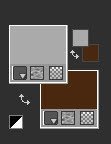
94 – Fill with the Background color
92 – Selections Invert
93 – Layer – New Raster Layer

94 – Fill with the Background color

95 – Effects – Carolaine Sensibility – cs-Texture – Default
96 – Selections Invert
97 – Effects – 3D Effect – Drop Shadow


98 – Selections – Select None
99 – Write your signature
100 – İmage – Add Borders 1 Pixel – Background color
101 – Image Resize 900 Pixel
102 – File Save as JPEG
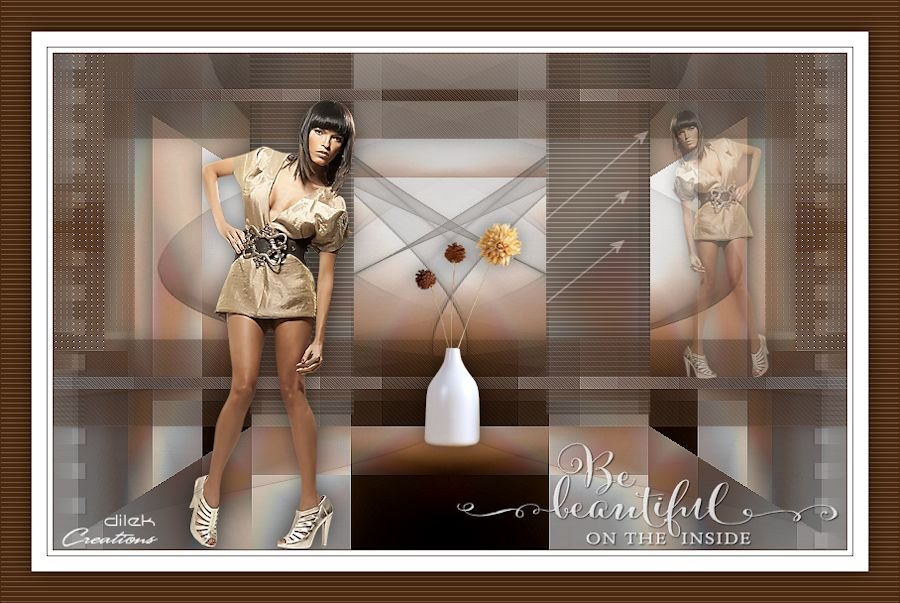
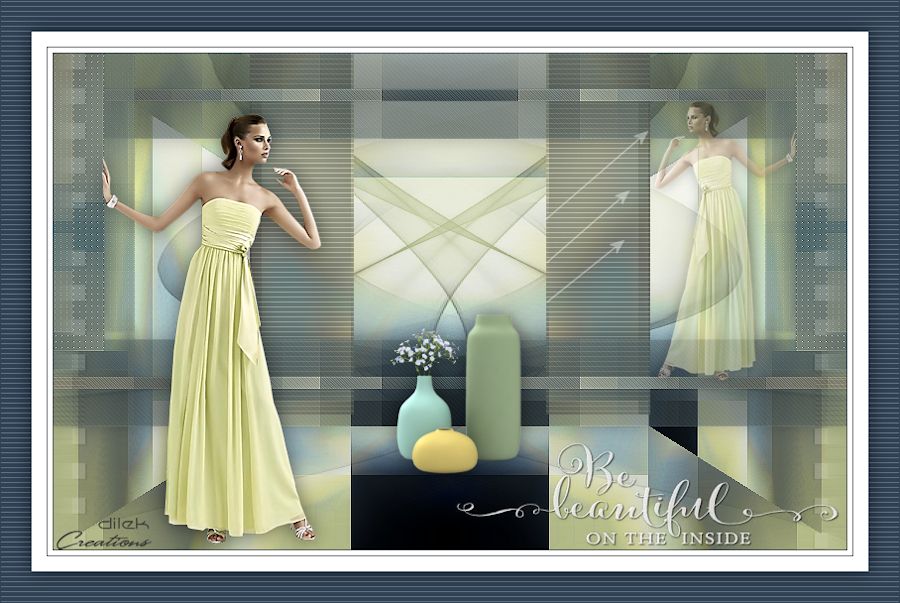
For Example
I would be very happy if you could send your nice work to my e-mail address.
My mail address
dilekmektubu@gmail.com


Yorum gönder
Yorum yapabilmek için oturum açmalısınız.